Mini App Dev

Mini-Applications in KI-Léierbud

Marco Barnig, 18.8.2025

Mini-applications are the core of the KI-Léierbud portal. They consist of the following elements:

1. A sequence of web pages with content downloaded via REST API from the KI-Léierbud WordPress server for the “knowledge,” “quiz,” and “polls” mini-applications, and individual interactive web pages for the “hands-on” applications.

2. A set of html, css, js, svg, and png files, structured as follows:

project-root/
├─ section/
│  └─ app-name/
│     ├─ index.html
│     └─ assets/ (css/js/svg…)
└─ operations/
   ├─ login/
   │  └─ index.html
   └─ search/
      └─ index.html

These directories are preferably stored in the /httpdocs/ folder of the PLESK server. If necessary, they may be installed in specific subdomains of ki-leierbud.lu for technical reasons.

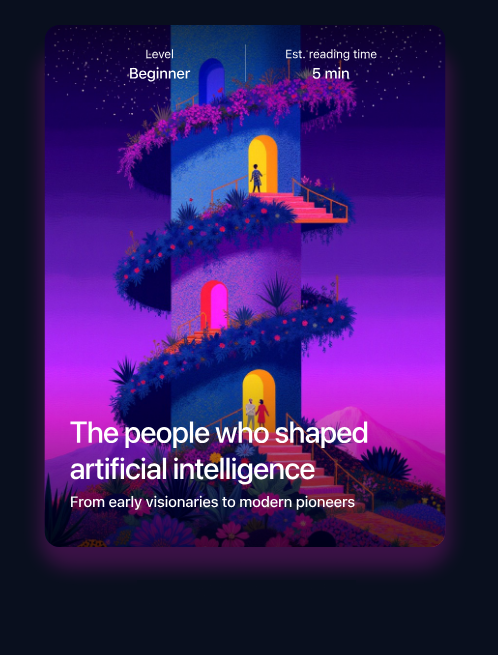
3. Graphic cards with an illustration and description of the mini-application (similar to the LetzAI prompt cards) that are displayed in the portal dashboard. Besides promoting the KI-Léierbud on social networks, they are also used as the first and last card in the web page sequences described in point 1.

Layout and Features of the Mini-Applications

The layout of the “knowledge,” “quiz,” and “polls” mini-applications is template-based.

  • A single template is sufficient for the “knowledge” sequences (different background colors may optionally be chosen depending on the intended user level).
  • Three templates are required for the “quiz” sequences, depending on the quiz type (yes/no, multiple choice, etc.). The same number of 3 also seems appropriate to standardize the “polls.”
  • All templates are based on a common Master-Template with header and footer

Mini-Application “Knowledge/Visionaries”

The “Visionaries” mini-application serves as an example to present the typical layout and features of a “Knowledge” mini-application.

A functional prototype of this mini-application is available at:

https://ki-leierbud.lu/knowledge/visionaries

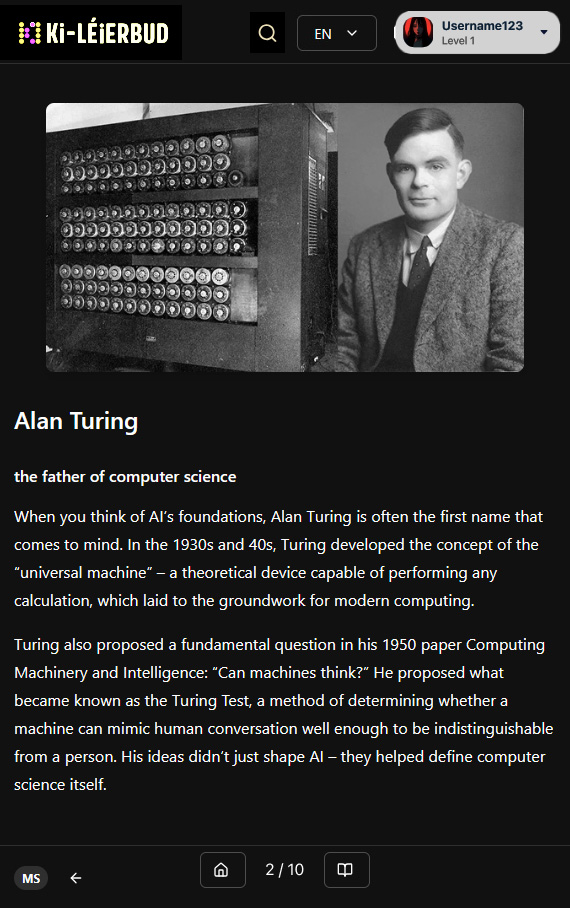
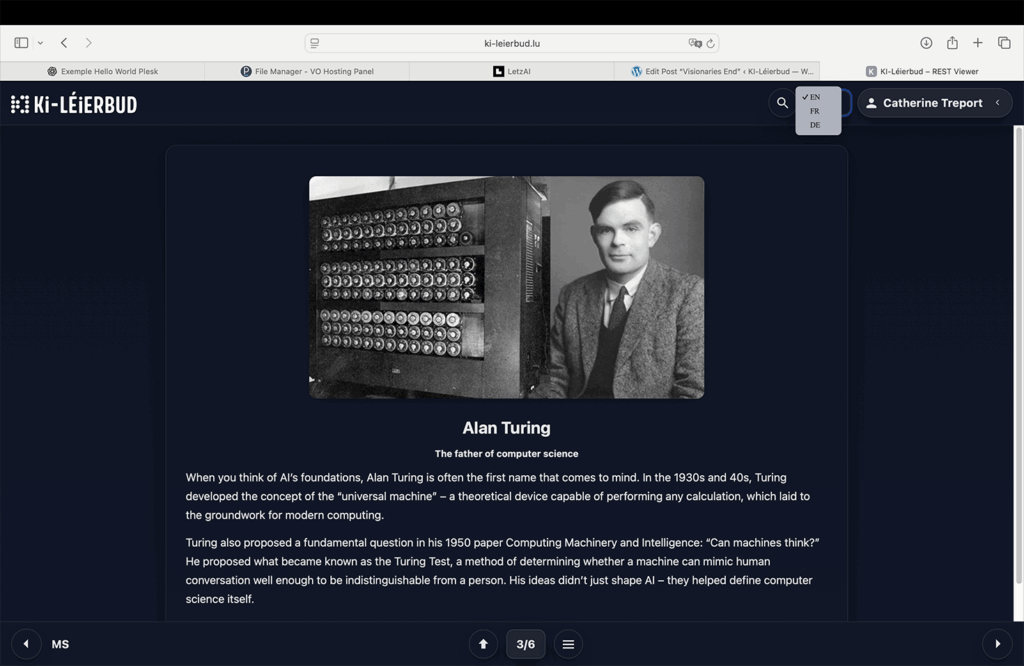
A detailed screenshot of one page from the related sequence is shown below:
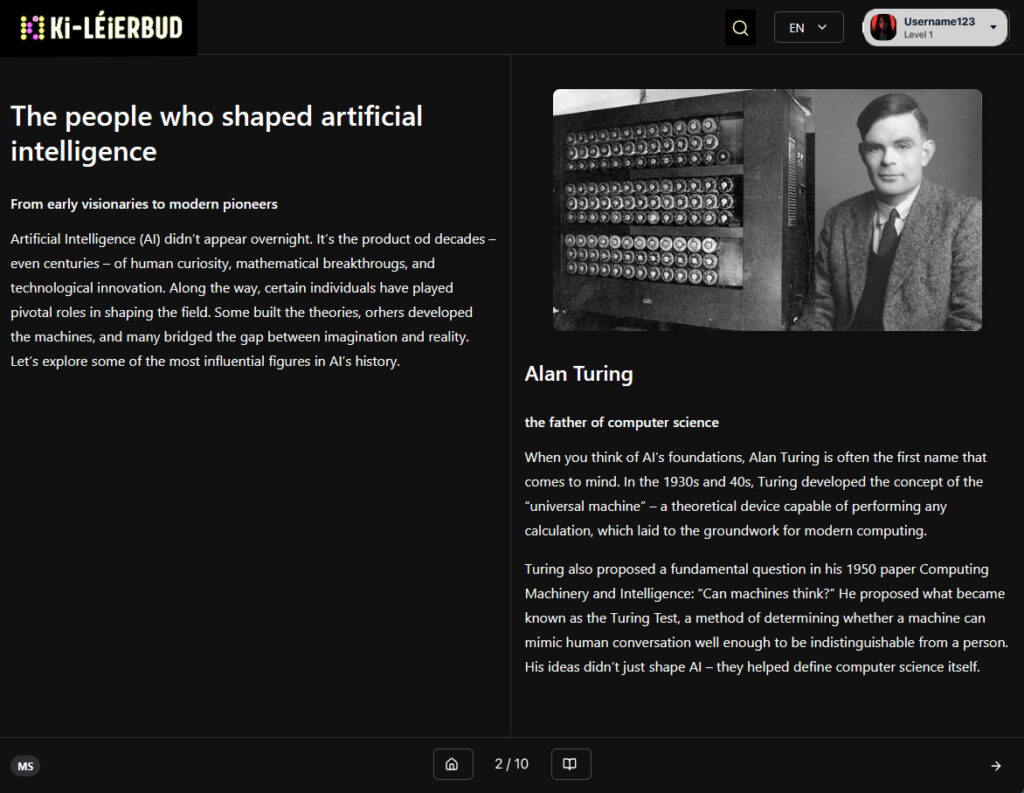
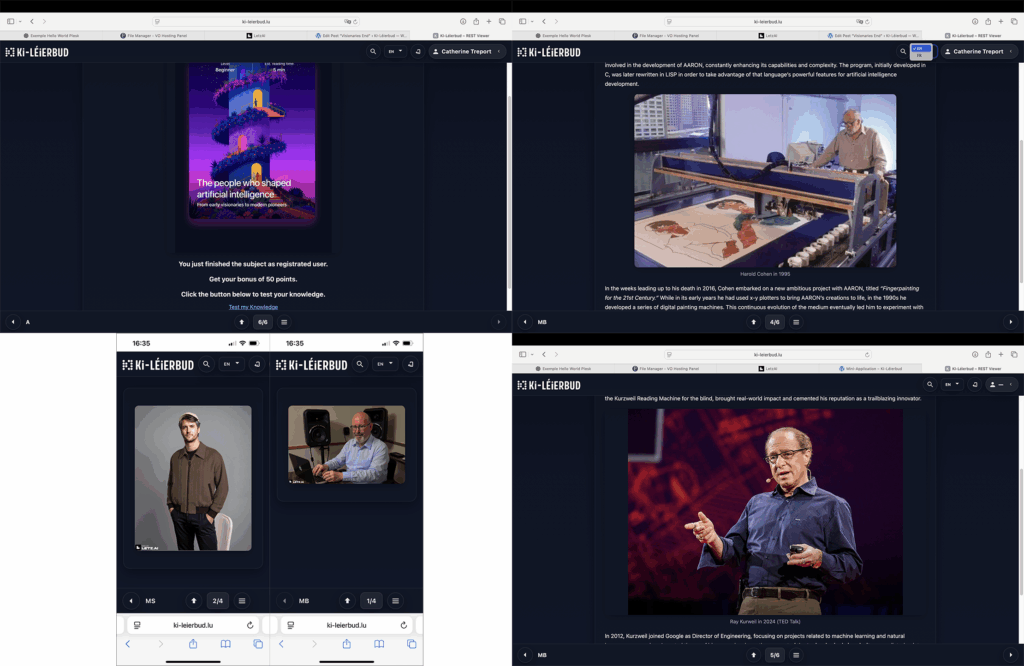
Some other pages are assembled in the second figure below:
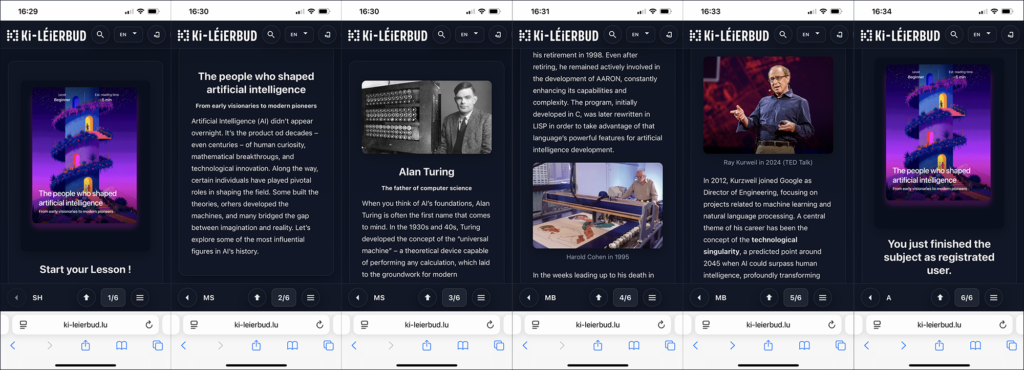
The following figure shows the sequence of web pages displayed on a mobile device in the “Visionaries” sequence:
You can directly access a specific page, for example the French page about Harold Cohen with ID=1501, by adding the suffix ?id=1501 to the URL:

https://ki-leierbud.lu/knowledge/visionaries/?id=1501

You can also retrieve a page in a specific language by adding the suffix ?lang=xx to the URL of an existing page in another language. If the page does not exist in the desired language xx, the following priority order will be applied: en, fr, de, pt, lb.

Development of the “Knowledge” Template

The template for the “Knowledge” mini-application was developed within two days using ChatGPT-5. The complete conversation from start to finish is available at the following shared link:

https://chatgpt.com/share/68a6f4e5-58ac-8005-9db8-74577cd58ba0

Reading this conversation should enable non-technical collaborators to quickly become familiar with development assisted by ChatGPT-5 and to develop templates for mini-applications themselves.

Remaining Errors in the “Knowledge” Template

The “Knowledge” mini-application template still contains a few residual errors, especially on mobile phones. One issue is that the width of the header and footer exceeds the screen width in portrait mode. Another issue is that the “swipe” function has not yet been implemented. However, by rotating the mobile device to landscape mode, one can still test all the features. The language handling for accessing a specific page also still requires some adjustment.

I plan to fix these issues once the layout and features have been definitively approved by the partners.
Mini-Application

Mini-Application “The People Who Shaped AI”


Comments and explanations by Marco Barnig

1. Figma


Since I was not familiar with Figma until recently, it took me a while to understand that it is a powerful digital tool for illustrating the layout of a website.

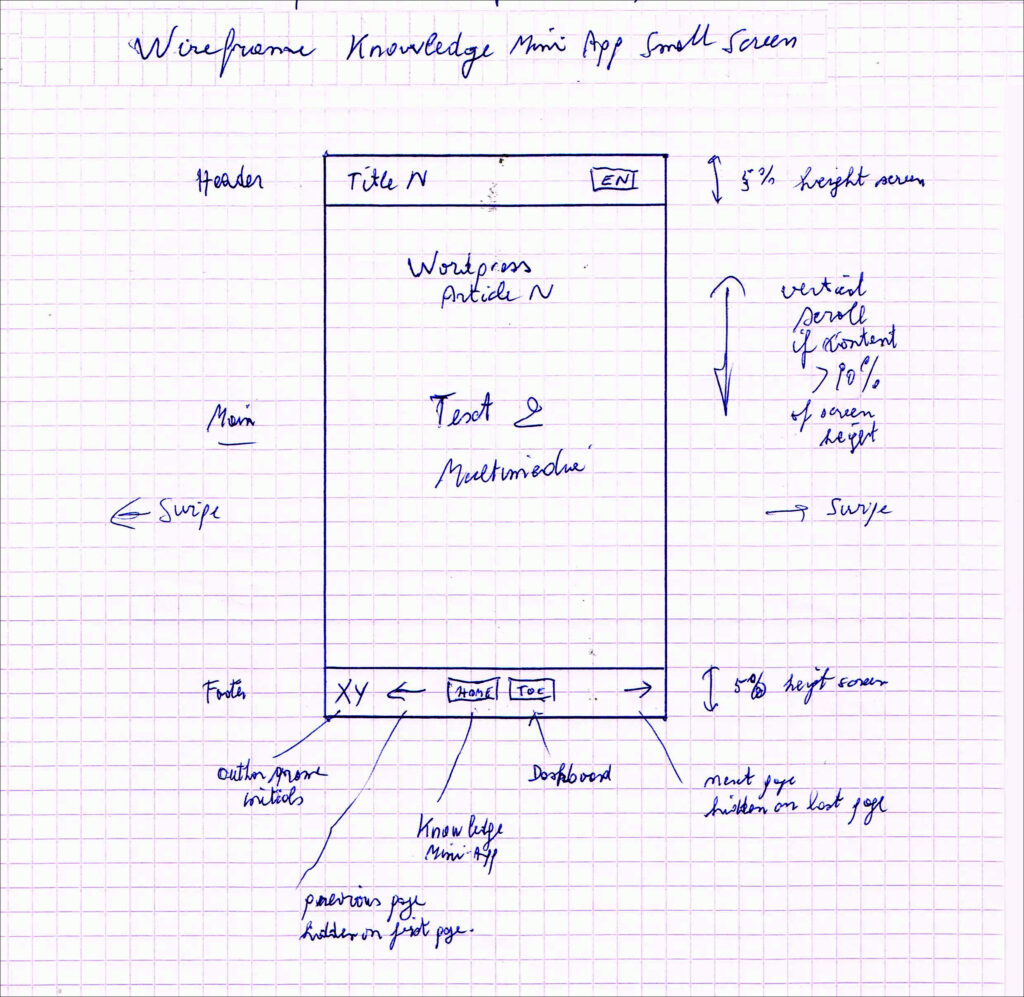
Back in 1997, when I created my first static website on the Webplaza of the Telecommunications Division of the P&T public company, I regularly sketched page layouts on squared paper. Most of my ideas came to me at night—during dreams or bouts of insomnia. I would get up, quickly draw a sketch on paper, and then return to bed to fall asleep again.

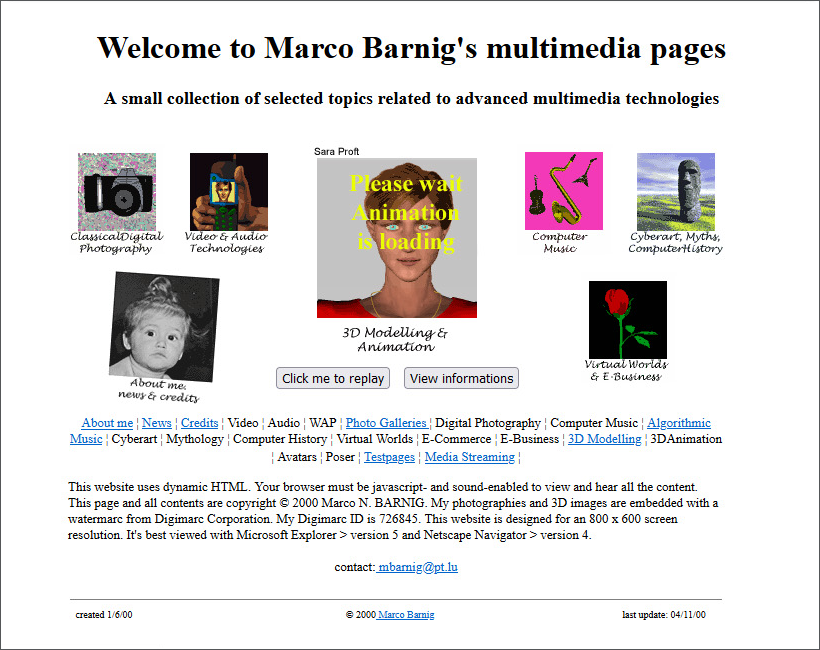
My second website created in June 2000 in the Webplaza of P&T with dynamic HTML

2. Collaboration Across Generations


To facilitate collaboration and mutual understanding between the different generations involved in the KI-Léierbud project, I tried to design wireframes in my baby-boomer style as an example in Figma, starting with Alan Turing.

3. Wireframe “Alan Turing”


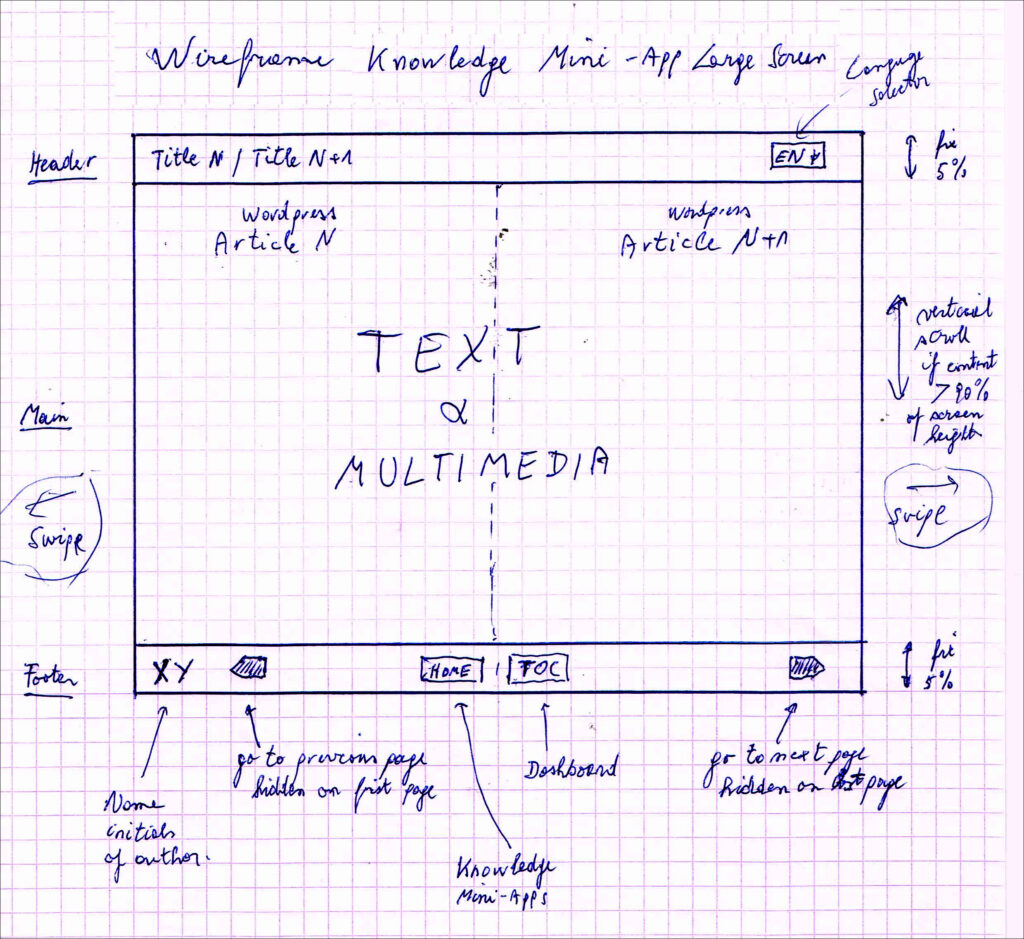
My original idea for the functional wireframe of the “Alan Turing” page is shown below:

Layout on a narrow screen (mobile, tablet in portrait mode)
Layout on a wide screen (tablet in landscape mode, desktop computer, television)

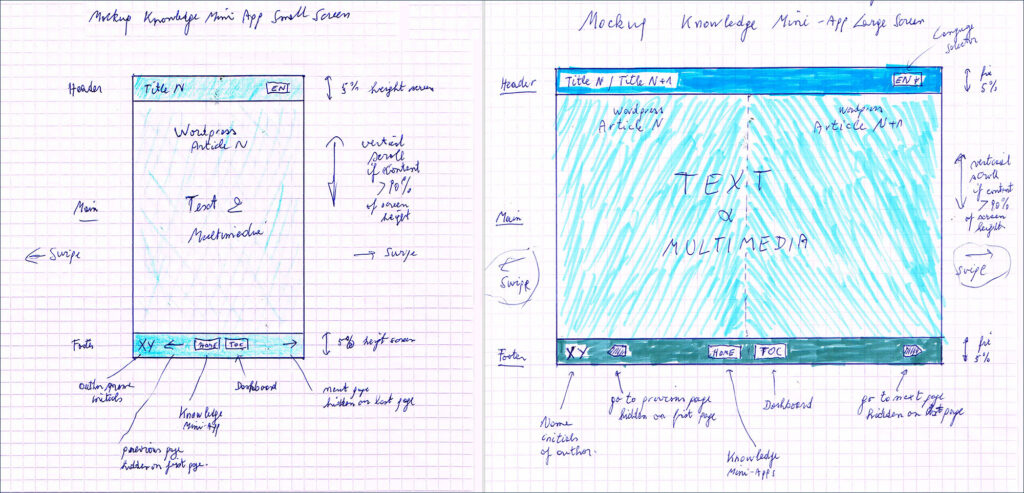
4. Mockup “Alan Turing”


My original idea for the graphical mockup of the “Alan Turing” page is presented in the following figure.

Layout on both narrow and wide screen

I limited myself to defining a harmonious palette of three colors—used respectively for the top and bottom fixed bars and for the central content area.

5. Interactive Prototype “Alan Turing”


I added the image and text for “Alan Turing” into the WordPress CMS under a new category: knowledge/visionaries.
The ID of the first article is 1961. I extended the existing prototype URL https://app8.ki-leierbud.lu with the parameter /?p=1961&color=ocean.
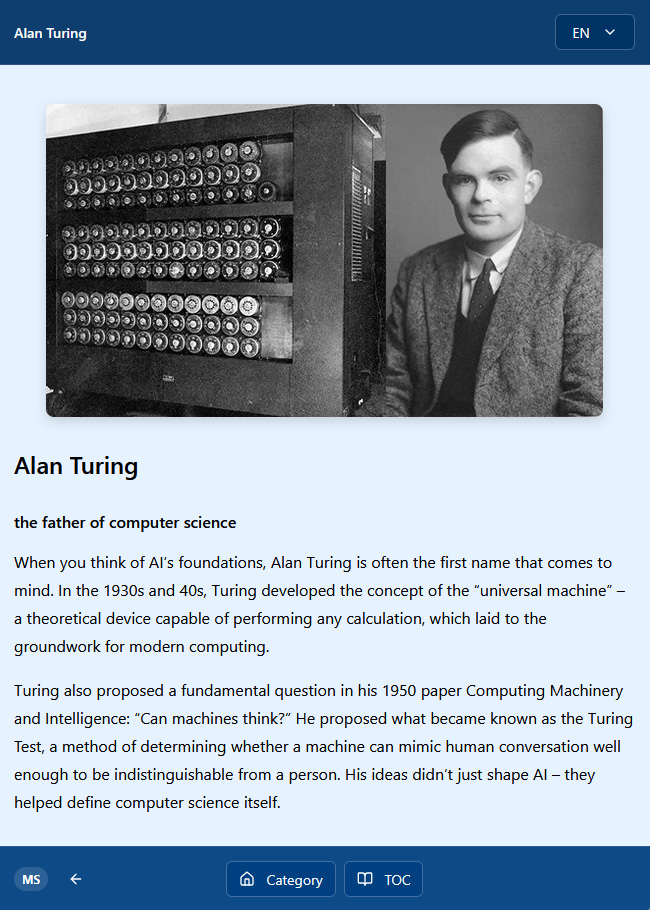
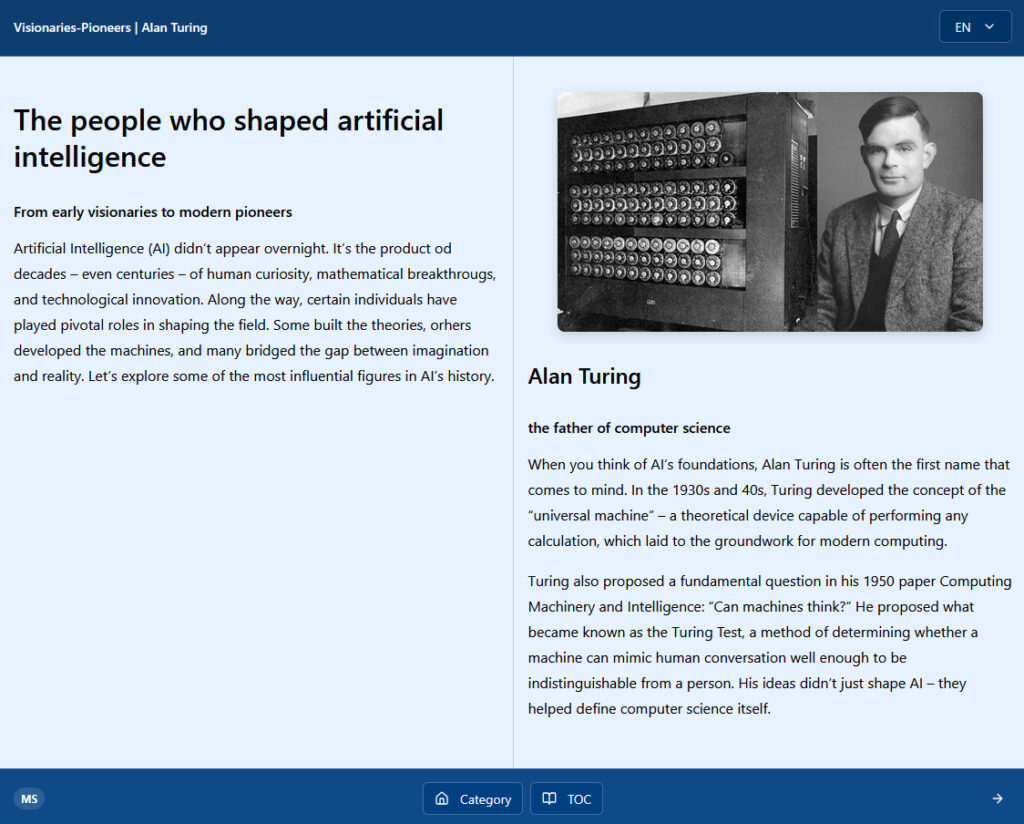
The content displayed in the browser looks as follows:

Interactive prototype on a narrow screen (mobile, tablet portrait)
Interactive prototype on a wide screen (tablet landscape, desktop, TV)

6. Revised Wireframes and Mockups “Alan Turing”


Based on the Figma mockup proposed by Sumin, and in order to support all the required functionalities, I revised the functional and graphical wireframes as follows:

My proposal for a revised mockup of the knowledge mini-app on a narrow screen (mobile, tablet portrait)
My proposal for a revised mockup of the knowledge mini-app on a wide screen (tablet landscape, desktop, TV)

7. Interactive Prototype of the Mini-Application “The People Who Shaped AI”


To demonstrate the practical operation of the “Alan Turing” page and its integration within the mini-application “The People Who Shaped AI”, I added a few more visionaries and pioneers, as well as a first and last page, into the WordPress CMS.

I also created a new JSON file with a uniform black color palette.

My plan is to adapt the code and host it at:


https://ki-leierbud.lu/knowledge/visionaries/


In the meantime, it can be tested with the current code at:


https://app8.ki-leierbud.lu/?p=1988&color=black

Ray_Kurzweil_EN

Ray Kurzweil

The Technological Singularity Predictor

Ray Kurzweil is a visionary thinker and pioneer at the intersection of artificial intelligence, futurism, and technology. Renowned for his bold predictions about the future of AI and humanity, he has authored numerous influential books, including The Age of Intelligent Machines (1990), The Singularity Is Near (2005), and How to Create a Mind (2012). His work blends scientific insight with imaginative foresight, earning him recognition as one of the most prominent advocates of technological progress and human–machine integration.

Born in the United States in 1948, Kurzweil displayed precocious talent in science and invention, winning national recognition for building a computer program that composed original music while still a teenager. Over the decades, he has founded several companies in fields ranging from text-to-speech synthesis to pattern recognition and music technology. His inventions, such as the Kurzweil Reading Machine for the blind, brought real-world impact and cemented his reputation as a trailblazing innovator.

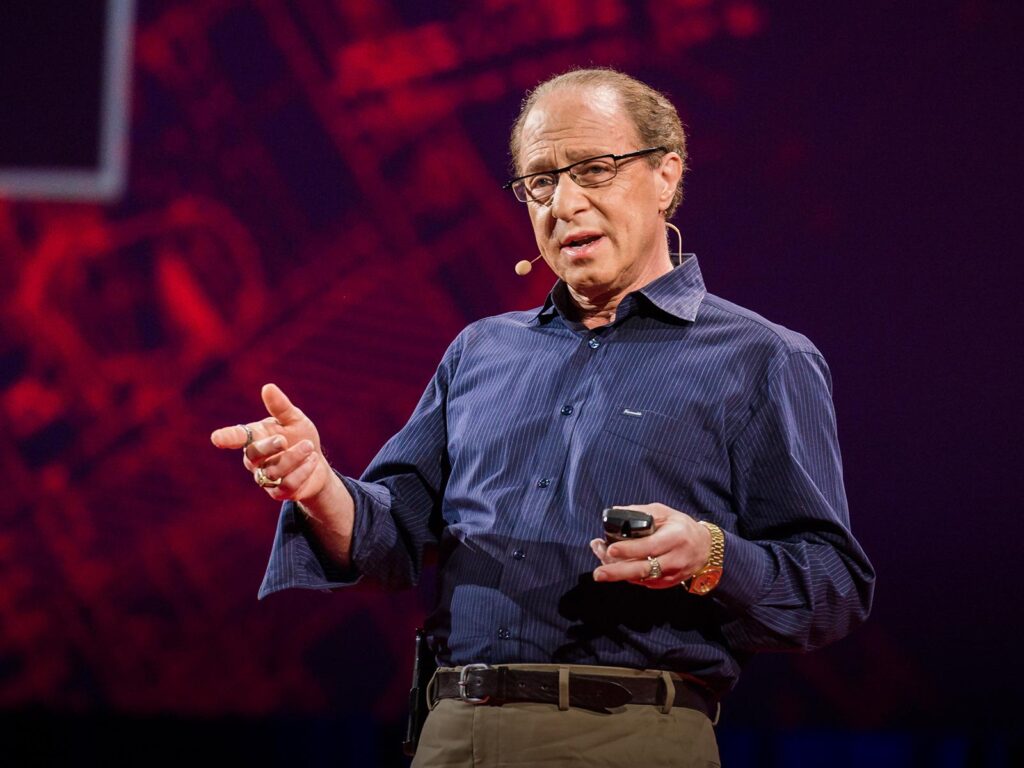
Ray Kurweil in 2024 (TED Talk)

In 2012, Kurzweil joined Google as Director of Engineering, focusing on projects related to machine learning and natural language processing. A central theme of his career has been the concept of the technological singularity, a predicted point around 2045 when AI could surpass human intelligence, profoundly transforming civilization. While his forecasts spark both enthusiasm and debate, his influence on discussions about the future of AI remains undeniable.

Kurzweil has received numerous honors, including the National Medal of Technology and Innovation, and was inducted into the National Inventors Hall of Fame. Even in recent years, he continues to publish, lecture, and refine his vision of a world in which humans and machines converge—pushing the boundaries of how we imagine intelligence, creativity, and the future of our species.

Harold_Cohen_EN

Harold Cohen

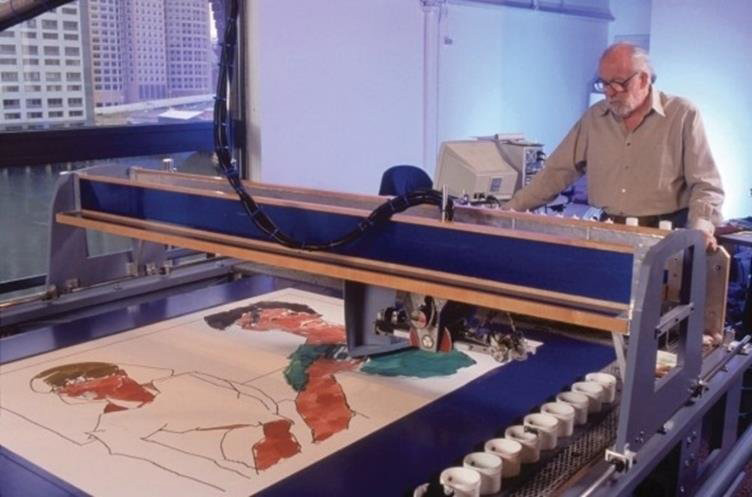
The father of AARON, a computer painting generator

Harold Cohen was a pioneer at the crossroads of artificial intelligence and the visual arts. In 1972, he created AARON, a revolutionary computer program designed to autonomously generate paintings and drawings. His groundbreaking approach, blending computational creativity with traditional art, earned him international recognition, with works exhibited in numerous prestigious museums around the world. In acknowledgment of his contributions, Cohen received multiple awards throughout his career.

Born in the United Kingdom in 1928, Cohen later moved to the United States, where he shared his expertise and passion for art and technology at the University of California from 1968 until his retirement in 1998. Even after retiring, he remained actively involved in the development of AARON, constantly enhancing its capabilities and complexity. The program, initially developed in C, was later rewritten in LISP in order to take advantage of that language’s powerful features for artificial intelligence development.

Harold Cohen in 1995

In the weeks leading up to his death in 2016, Cohen embarked on a new ambitious project with AARON, titled “Fingerpainting for the 21st Century.” While in its early years he had used x-y plotters to bring AARON’s creations to life, in the 1990s he developed a series of digital painting machines. This continuous evolution of the medium eventually led him to experiment with inkjet printers and, in his final project, touchscreen displays—always seeking to merge technology with the tactile essence of painting.